-mysql
npm install mysql --save
npm install crypto --save
db_info.js
module.exports = {

    local : {

        host				: "localhost",
        port				: 3306,
        user				: "root",
        password			: "비밀번호",
        database			: "my_db",
        connectionLimit		: 5000,
        waitForConnection	: true,
        multipleStatements	: true,
    },

    joo : {

        host				: "호스트",
        port				: 3306,
        user				: "아이디",
        password			: "비밀번호",
        database			: "my_db",
        connectionLimit		: 5000,
        waitForConnection	: true,
        multipleStatements	: true,
    },

}
app.js
var mysql = require("mysql");
var mysql_info = require('./config/db_info').joo;

pool = mysql.createPool({
  	host: mysql_info.host,
	port: mysql_info.port,
	user: mysql_info.user,
	password: mysql_info.password,
	database: mysql_info.database,
	connectionLimit: mysql_info.connectionLimit,
	waitForConnection: mysql_info.waitForConnection,
	multipleStatements: mysql_info.multipleStatements,
});
crypto 암호 모듈 이용
login.js
var express = require('express');
var router = express.Router();
var crypto = require('crypto');

router.post('/login', function(req, res, next) {

    var id = req.body.user_id;
    var pw = req.body.user_password;
    req.session.userInfo = id;
    console.log("req.session : ", req.session);
    console.log("req.session.userInfo :" , req.session.userInfo);

    var hex = "joospace";
    var sql = 'SELECT * FROM users';

    pool.getConnection(function(error, connection) {

        connection.query(sql, [id], function(err, results) {
            if(err) {
                console.log(err);
                connection.release();
            }
            console.log(results);

            if(results.length == 0) {
                res.render('/', {message: 'please check your id'});
                return;
            }

            var userPassword = results[0].user_password;

            crypto.pbkdf2(pw, hex, 10000, 8, 'sha512', function(err, derivedkey) {
                if(err) {
                    console.log(err);
                    connection.release();
                }

                if(derivedkey.toString('hex') === userPassword) {
                    res.render('main', {id: id});
                }

                else {
                    res.render('/', {message: 'please check your password'});
                }
            });

            connection.release();
        })
    });

});

module.exports = router;
index.ejs
<!DOCTYPE html>
<html>

<head>
    <meta charset="utf-8">
    <meta http-equiv="X-UA-Compatible" content="IE=edge">
    <meta http-equiv="Content-Type" content="text/html; charset=utf-8" />
    <meta name="viewport"
        content="width=device-width, initial-scale=1.0, minimum-scale=1.0, maximum-scale=1.0, user-scalable=no">
    <!-- jQury-->
    <script
    src="https://code.jquery.com/jquery-3.4.1.min.js"
    integrity="sha256-CSXorXvZcTkaix6Yvo6HppcZGetbYMGWSFlBw8HfCJo="
    crossorigin="anonymous">
    </script>
    <title>Login Test</title>
</head>

<body>
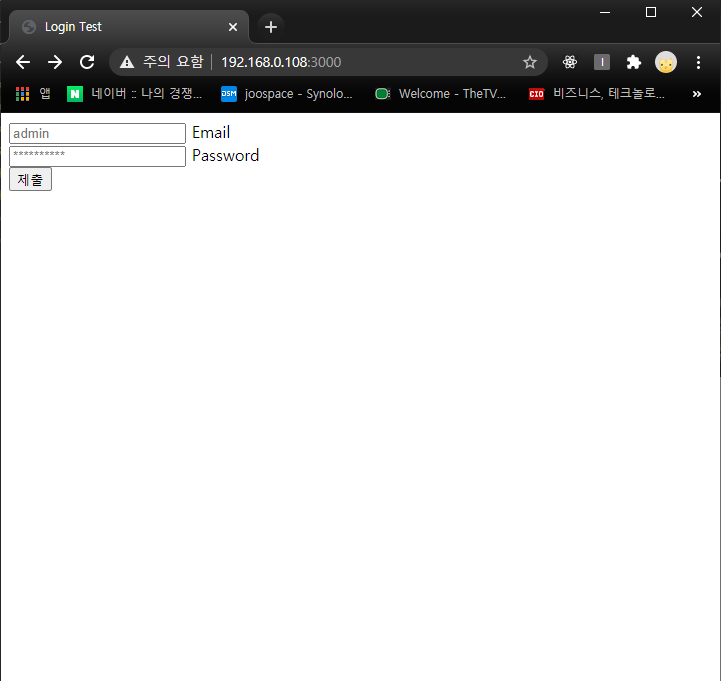
    <form action="/login" method="POST">
        <div>
            <input type="text" id="user_id" name="user_id" autocomplete="off" placeholder="admin" value="">
            <label for="user_id">Email</label>
        </div>

        <div>
            <input type="password" id="user_password" name="user_password" autocomplete="off" placeholder="**********" value="">
            <label for="user_password">Password</label>
        </div>
        <div>
            <input type="submit"></button>
        </div>
    </form>
</body>

</html>
npm start...
실행화면
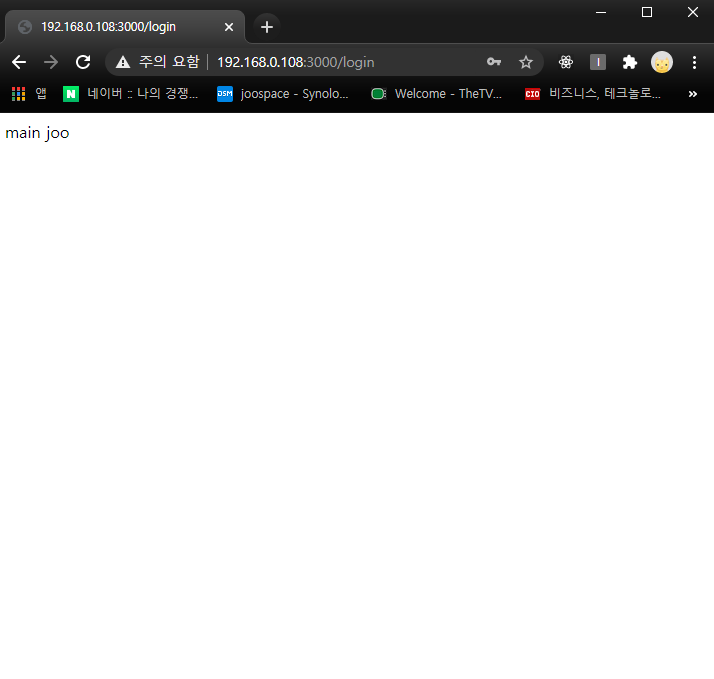
main 페이지 이동 후 {id} 출력
'Programing > node js' 카테고리의 다른 글
| node js panolens.js 360이미지 (0) | 2021.01.14 |
|---|---|
| node js 네이버 계정으로 로그인 (passport-naver) (0) | 2021.01.12 |
| node js request response 요청 응답 객체 (0) | 2021.01.06 |
| node js Express Router 관리, 분리 (0) | 2021.01.06 |
| node js Winston 로그 남기기 (0) | 2021.01.05 |


